Voltline Electric Scooters Getting Started in Voltline
Phone, garage, ES80 assembly, first charge, and first food delivery on desktop early testing.
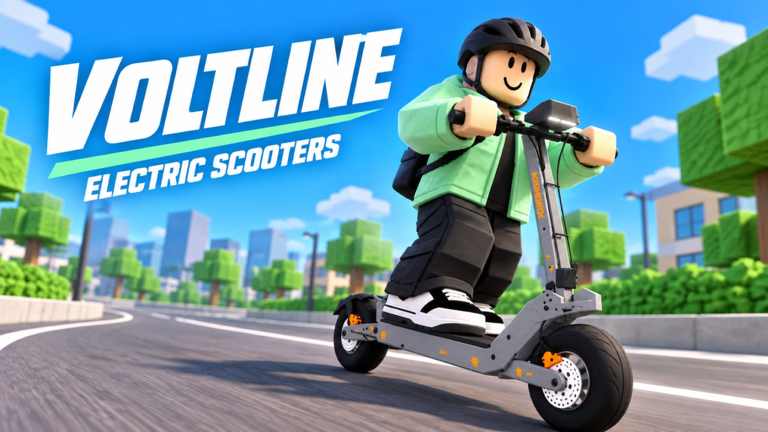
Voltline: Electric Scooters [Early Testing] drops you into a desktop vehicle sim where the loop is assemble → charge → deliver → upgrade. Created by DILLYDASHER on 2026-09-09, the experience currently caps at six players per server and labels itself EARLY TESTING · DESKTOP. That means menus can move, physics can feel floaty for a patch, and unfinished streets are normal. This guide gets you through a clean first session without wasting cash or stranding yourself with a dead battery.
If you want the full index afterward, return to the Guides Hub. For part shopping later, keep Upgrade Parts bookmarked. For riding feel, see Desktop Controls.
What you are trying to do in hour one
- Learn the phone (deliveries, navigation, shopping, garage).
- Unpack and assemble the starter AOVOPRO ES80.
- Charge before you accept work.
- Complete at least one food delivery end to end.
- Note battery drain and miles so the next upgrade decision is informed.
Everything else—VSETT 9+, KuKirin G4, Dualtron X Limited clips, Joyor T10 teases—can wait until this loop feels automatic.
Spawn and first look around
Join from the Roblox experience page and expect a small server. Take ten seconds to orient: find where scooters park, where charging happens, and where the phone UI opens. Because this is early testing, do not assume every building is interactive. Move slowly until you know which props are collision and which are scenery.
Press M to open your in-game phone as soon as the UI is available. Treat it like a real courier app plus a garage key:
- Vault Dash — go online, accept food jobs (strong offers can pay around $450), finish hand-offs.
- Navigation / map — route cues so you are not hunting blindly; pin the garage when battery is low.
- Market — scooters and parts (some chassis list near $4,900).
- Garage — stored scooters, assembly state, spawn-to-you options, and loadout access.
- Charging / power / lock — power off before garage charging; lock when you dismount.
Full app walkthrough: Phone Apps. If a phone tab looks empty or half-wired, that is an early-testing moment—retry after a rejoin or check Updates for known UI shifts.
Garage basics
The garage is where unfinished scooters and owned decks live. Before you ride into traffic:
- Confirm the AOVOPRO ES80 is the active project if you are brand new.
- Check whether assembly steps remain (stem, deck, wheels, battery seat, etc.—exact prompts vary by patch).
- Do not leave the garage on a half-built frame; incomplete assembly is a common soft-lock feel during testing.
When you later unlock VSETT 9+ or KuKirin G4, each brings its own unboxing and assembly ritual. Learn the habit on the ES80 first so those later kits feel familiar. Deep steps live in Assemble Your Scooter.
Unpack and assemble the AOVOPRO ES80
Your starter path is explicit in the official pitch: unpack and assemble the AOVOPRO ES80. Work the prompts in order. Typical early-testing advice that survives patches:
- Finish every prompted attach before throttling out of the area.
- Seat the battery properly—riding with a loose pack is asking for a stranded delivery.
- Verify brakes respond in a short crawl before you accept a timed job.
- If a part refuses to snap, step away, reopen the garage/phone flow, and retry once before assuming a hard bug.
Community showcases of a Dualtron X Limited or teases of a Joyor T10 are motivational, not hour-one goals. Earn toward VSETT 9+ and KuKirin G4 after you can complete deliveries without panic charging.
Charge before you earn
Battery is a first-class resource. Charge the ES80 until you have a comfortable buffer, then watch the meter while you ride. Tracking miles helps you feel progression even when cash is slow. A practical first-session rule:
- Never accept a delivery when you are unsure you can reach the drop and still limp to a charger.
- If the map still has unfinished pockets, prefer short, obvious routes for job one.
- After the hand-off, charge again before stacking a second order.
Detailed route and battery habits are expanded in Food Deliveries.
First food delivery checklist
- Phone (M) → Vault Dash → go online → accept a nearby, simple job after reading the payout.
- Confirm navigation target before you launch.
- Ride in Sport (or Eco while learning); save Race for clear roads—see Desktop Controls for modes, wheelies, and police-safe pacing.
- Complete the hand-off cleanly; do not celebrate mid-intersection.
- Check remaining battery; return to garage, power off, then charge if you are under a safe threshold.
- Optionally open Market only after cash is banked—impulse motors before brakes/range is a classic trap covered in Upgrade Parts and Make Money Fast.
If the job fails because of a bug (destination unreachable, phone stuck), note scooter model + steps and move on. Early testing rewards patience more than force.
What to unlock next
After one or two successful deliveries:
- Revisit assembly confidence on the ES80, then plan the climb toward VSETT 9+ and KuKirin G4.
- Skim the Scooter Tier List and Tier List Hub so you know which platforms players value for speed vs range.
- Check Codes for any live testing rewards.
- Keep an eye on Players for concurrent spikes (peaks near 11k have happened recently) and Wiki for baseline facts (~2.4M visits, ~12k favorites).
- Treat Scripts as optional and risky; the intended path is deliveries and parts.
Common first-hour mistakes
- Skipping assembly and wondering why the scooter feels broken.
- Accepting long deliveries on a half battery.
- Spending starter cash on flashy parts before a reliable charge routine.
- Practicing wheelies in traffic during the first paid job.
- Ignoring the phone’s garage tab and losing track of which deck is active.
Desktop early-testing etiquette
Servers are small (max six). Leave space at chargers, avoid blocking garage exits, and remember unfinished map slices may look rideable but are not. When something breaks, report with scooter name and reproduction—exactly what the experience asks for.
Quick links after this page
- Assemble Your Scooter — ES80, VSETT 9+, KuKirin G4 kits
- Make Money Fast — Vault Dash paycheck loop
- Phone Apps — M-menu systems
- Food Deliveries — routes and charging cadence
- Desktop Controls — keys, Eco/Sport/Race, safe wheelies
- Upgrade Parts — batteries through suspension order
- Guides Hub — full guide index
Finish this checklist once, then grind Vault Dash until the ES80 feels boring—that boredom is your signal to assemble the next chassis.
Frequently Asked Questions
Quick answers for Voltline riders.
What is the starter scooter in Voltline?
You unpack and assemble the AOVOPRO ES80 first. Later progression highlights include VSETT 9+ and KuKirin G4, each with their own unboxing and assembly.
What does the in-game phone do?
Press M for Vault Dash deliveries, map/navigation, Market shopping, garage spawn, charging/power, ride tuning, and lock. Learn those apps before heavy upgrades.
Should I charge before my first delivery?
Yes. Power the scooter off in the garage, connect the charger, then accept short jobs only when battery covers the route plus a return charge.
Is Voltline mobile-ready right now?
The experience advertises EARLY TESTING on desktop. Prefer a keyboard/mouse setup while systems and controls are still changing.
Where do I go after Getting Started?
Assemble Your Scooter for kit steps, Make Money Fast and Food Deliveries for Vault Dash habits, then Upgrade Parts once cash flow is stable.