Voltline Electric Scooters Desktop Controls & Riding Tips
Keys, Eco/Sport/Race modes, throttle, braking, night lights, and safer wheelies.
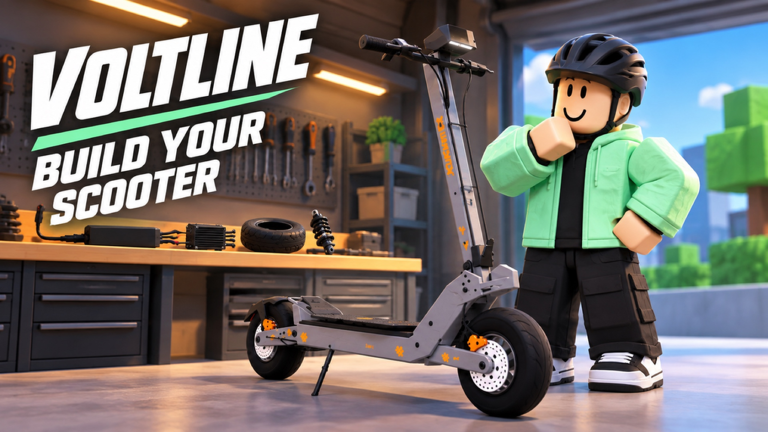
Voltline: Electric Scooters ships as EARLY TESTING · DESKTOP, so keyboard and mouse habits matter more than mobile touch assumptions. This guide covers the core keys community testers rely on, Eco / Sport / Race riding modes, camera discipline, braking distance, night headlights, and how to practice wheelies without throwing Vault Dash jobs or drawing police stars in a max-six-person server.
Pair this page with Getting Started if you are new, Make Money Fast and Food Deliveries for job pacing, Phone Apps for the M-menu map, and Assemble Your Scooter if the deck still feels unfinished. Part choices that change handling are covered in Upgrade Parts.
Desktop-first mindset
Creator DILLYDASHER is iterating in public. Bindings, camera smoothing, and physics can shift between sessions. Learn principles, not only one patch’s key labels:
- Always confirm throttle and brake response in a quiet lot after assembly.
- Re-check controls after every scooter swap (ES80 → VSETT 9+ → KuKirin G4).
- If an input stops registering, step off/on the scooter or rejoin before assuming permanent breakage—then report with model name.
Exact key labels can move; the habits below stay useful.
Core keys (community-confirmed)
| Action | Typical key | Notes |
|---|---|---|
| Interact / mount | E | Unpack prompts, get on/off when shown |
| Ignition / key | P (or hold C + ignition prompt) | Some scooters need power before they move |
| Riding modes | Hold C | Cycles Eco, Sport, Race on many decks |
| Phone | M | Vault Dash, Market, garage, charge, map, lock |
| Throttle | W / forward | Progressive input saves battery |
| Steer | A/D or mouse lean | Wide lanes in unfinished areas |
On-screen prompts win when a new chassis disagrees with this table.
Eco, Sport, and Race modes
Holding C switches riding modes that change how quickly you travel:
- Eco — controlled pace, better when battery is low, traffic is dense, or you are learning a new frame.
- Sport — default courier mode for clear finished roads.
- Race — maximum travel speed; starter vehicles in community guides approach roughly 30 MPH in Race. Great for long Vault Dash legs, risky near drops and patrols.
Many scooters also let you toggle MPH / km/h on the display and enable headlights for dark map sections. Use Race for open distance, then drop to Sport or Eco before the hand-off.
Core riding inputs
Throttle
Apply power progressively. Slamming full throttle on a freshly assembled ES80 teaches bad timing for later high-power decks. On hills, ease in so the front stays planted. During deliveries, smooth throttle saves battery and reduces panic corrections.
Brake
Brake early, especially after motor upgrades. Your stopping distance grows faster than your confidence. Practice a full stop from cruise speed in an empty stretch before you accept a timed phone job. If bite feels absent, return to assembly—missing brake steps are common.
Steer / lean
Take wide lanes in early testing; unfinished collision and other riders appear suddenly. Avoid last-frame swerves at drop-off doors. On the G4 or Dualtron-style showpieces, respect that higher speed shrinks reaction windows. Jumping curbs at Race speed can throw you off the deck—slow down for edges.
Camera
Keep the camera high enough to see intersections early. For navigation-heavy deliveries, glance at the phone route, then return camera to the road—tunnel vision causes crashes more often than low top speed. After a wheelie attempt, reset camera before re-entering traffic.
Interact / phone
Open the phone (M) only when stopped or crawling. Mid-air menuing during a delivery is how jobs fail. Garage and Market tabs wait until you are parked. Full app list: Phone Apps.
Safe shakedown routine (every new scooter)
- Assemble completely (Assemble Your Scooter).
- Charge to a comfortable band.
- Crawl forward and test brake bite twice.
- Make a left and right turn at low speed.
- Accelerate to a moderate cruise and full-stop.
- Optional: one controlled wheelie in an empty lot—not on a paid route.
- Only then open Deliveries.
This routine catches early-testing weirdness before it costs a payout.
Wheelies without wrecking your session
Wheelies are part of the fantasy—community clips love them—but they are optional for earning. Rules that keep you employed:
- Practice zone — empty lot or unfinished edge away from chargers and drop doors.
- Battery buffer — do not practice tricks at critical percent; recoveries cost meters.
- Delivery ban — no wheelies with an active food job unless you enjoy failures.
- Spot the landing — plan the front-down before you loft the front.
- Server manners — max six players still means shared chargers; do not block exits with stunt loops.
- After upgrades — new motors change loft timing; relearn on each chassis.
If a wheelie soft-locks physics (stuck lean, camera spiral), dismount, reset, and note the scooter for a bug report.
Night riding and headlights
Parts of the map get very dark. Turn headlights on after dusk, lower your mode from Race if you cannot read the road, and prefer phone map → garage navigation when the pack is low instead of wandering. Night is when curb mistakes and missed turns destroy Vault Dash streaks.
Speeding and police attention
Excessive speed can build wanted-style stars and draw police focus. That heat costs more time than Race mode saves on a single order. Clear the stars / disengage before stacking another accept. Earn with discipline—see Make Money Fast.
Riding tips that improve deliveries
- Line choice — straighter finished roads beat scenic dirt that might be unfinished collision.
- Mode choice — Race for open legs, Sport/Eco near drops and patrols.
- Speed vs battery — high throttle drains packs; cruise when the route is clear.
- Approach drops slow — hand-off prompts are easier at walking pace.
- Charge stops as resets — power off, charge, recenter camera; do not only top bars mid-panic.
- Miles tracking — longer efficient rides beat short chaotic ones for learning map flow.
Deeper dispatch strategy sits in Food Deliveries.
How parts change control feel
- Batteries — fewer emergency limp modes; calmer throttle use.
- Motors / controllers — sharper pull; demand earlier braking.
- Brakes — unlock safer top-speed use; buy these before ego engines.
- Tires — grip and comfort on imperfect roads; reduce slide surprises.
- Suspension — soaks ugly geometry so camera and stem stay readable.
Spend order and compatibility: Upgrade Parts. Platform expectations: Scooter Tier List and Tier List.
Common control mistakes
- Accepting a delivery before a brake test.
- Full-throttle launches out of the garage into another rider.
- Camera locked on the scooter body instead of the road ahead.
- Practicing wheelies on the only charger approach path.
- Assuming ES80 timing applies unchanged to KuKirin G4.
- Ignoring early-testing physics glitches instead of remounting.
Accessibility and comfort
If default sensitivity feels harsh, lower camera speed in Roblox settings and take slower lines until muscle memory lands. Short sessions (see the delivery template) beat long fatigued rides where braking late becomes habit.
When controls fight you
- Confirm assembly complete.
- Confirm battery installed and not empty.
- Remount scooter.
- Rejoin server if inputs stay dead.
- Check Updates for known control patches.
- Report with scooter name and whether a delivery was active.
Related links
- Getting Started — first-hour context
- Assemble Your Scooter — build before tricks
- Make Money Fast — Vault Dash paycheck habits
- Phone Apps — M-menu systems
- Food Deliveries — apply clean riding to jobs
- Upgrade Parts — handling-focused spend
- Codes, Scripts, Players, Wiki, Guides Hub
Good controls are boring in the best way: you arrive, you hand off, you charge, you go again. Save the clip-worthy wheelie for an empty lot after the payout clears.
Frequently Asked Questions
Quick answers for Voltline riders.
Is Voltline meant to be played on desktop?
Yes. The experience advertises EARLY TESTING on desktop. Prefer keyboard and mouse while controls and physics are still changing.
How do I switch Eco, Sport, and Race?
Hold C on many scooters to cycle riding modes. Use Race on clear roads and drop to Sport or Eco near deliveries, night darkness, or police risk.
What do M, E, and P do?
M opens the phone (Vault Dash, Market, garage, charge). E interacts and mounts when prompted. P (or C plus ignition prompts) powers compatible scooters.
When should I practice wheelies?
Only in empty space with battery to spare and no active food delivery. Relearn loft timing after every motor upgrade or chassis swap.
Can speeding bring police attention?
Yes. Excessive speed can build wanted-style stars. Clear heat before the next Vault Dash accept so chases do not erase your time gains.