Voltline Electric Scooters Food Deliveries Guide
Vault Dash jobs, ~$450 payouts, navigation, and power-off charging for Voltline couriers.
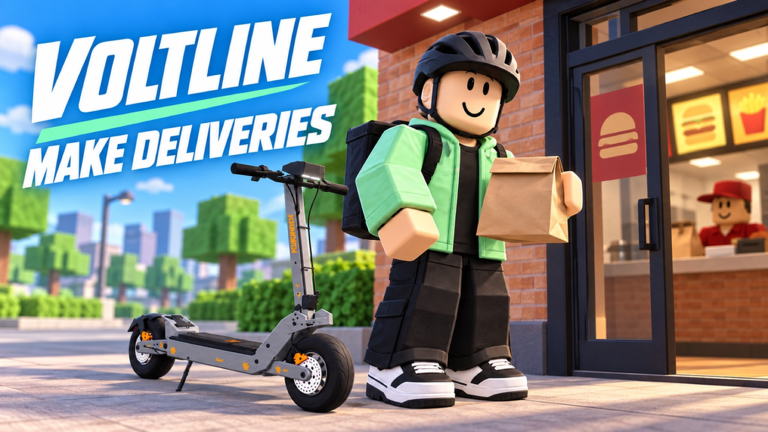
Food deliveries are the cash engine of Voltline: Electric Scooters. You ride, you charge, you upgrade—but without completing phone jobs, the garage stays decorative. The courier app is Vault Dash: press M, open Vault Dash, go online, and work offers that community guides peg around $450 per strong order. This page focuses on that loop, route sense, and battery discipline during EARLY TESTING · DESKTOP servers (max six players) from DILLYDASHER.
If your scooter is not fully built yet, finish Assemble Your Scooter and the Getting Started checklist first. Earnings strategy: Make Money Fast. Phone map: Phone Apps. Riding inputs and Eco/Sport/Race: Desktop Controls. Spending plans: Upgrade Parts.
Vault Dash workflow
Open the phone (M) and treat Vault Dash as a live dispatch board:
- Open Vault Dash and go online — offers only appear when you are available.
- Read the payment — skip bait that is far for a weak pack; strong orders can land near $450.
- Accept deliberately — accepting starts the clock on your attention and battery budget.
- Ride to pickup, then customer — smooth throttle, early braking; use Sport or Race on clear roads and drop mode near the door.
- Complete the hand-off — finish the interaction cleanly; do not wheelie into the drop.
- Reassess battery and condition — charge or accept another short job based on remaining pack and wear.
Market, Garage, charging, and lock apps sit beside Vault Dash on the same phone. Do not window-shop mid-route unless you are already stopped at a charger.
Route planning that survives early testing
The map is still evolving. Unfinished pockets can look open and then soft-fail navigation. Practical habits:
- Short first — stack two near jobs instead of one glamorous cross-map haul on a starter pack.
- Charger awareness — know at least one reliable charge point relative to common drop clusters.
- Miles as feedback — track miles to feel which routes drain more than they pay.
- Server traffic — even with a six-player cap, overlapping couriers happen; leave space at popular doors.
- Abort wisdom — if navigation points into an unfinished void, cancel early rather than drain the battery exploring.
When concurrency spikes (community peaks near 11k have shown demand), expect more competition for clean lines—still, your personal bottleneck is usually charge, not other players.
Battery management for couriers
Official design calls out charging, watching battery, and tracking miles. Make that a ritual:
- Power off, then charge — return to the garage, use phone power to turn the scooter off, connect the charger, then power on when ready. Skipping power-off is a common failed charge.
- Pre-accept threshold — set a personal minimum percent before tapping Accept. Raise it for longer-looking ~$450 hauls.
- Mid-route glance — check the meter after big hills or Race-mode stretches.
- Post-drop charge — default to a top-up after every completed order until your upgraded pack proves otherwise.
- Never “almost empty” heroics — walking a dead scooter kills tempo harder than a short charge pause.
- New chassis recalibration — after moving from AOVOPRO ES80 to VSETT 9+ or KuKirin G4, relearn drain rates before long stacks.
- Watch condition — worn scooters interrupt streaks; service between blocks.
Faster scooters tempt greed. Pair speed upgrades with battery upgrades; see Upgrade Parts for order of spend. Full phone steps: Phone Apps.
Delivery pacing by scooter tier
AOVOPRO ES80
Use for learning phone UI and short hops. Keep routes conservative. The ES80 funds your next unbox more than it flexes on tier lists.
VSETT 9+
Comfortable mid-game courier once assembled and charged. Slightly longer chains become realistic if brakes and pack are trustworthy.
KuKirin G4
High tempo potential. Rehearse braking distance from Desktop Controls before you treat every job like a speedrun. Battery still wins arguments.
Dualtron X Limited / Joyor T10
Community clips and teases—not your delivery syllabus. If you have one, apply the same charge rules; hype decks fail jobs the same way when empty.
Combining navigation, shopping, and garage
- Navigation — trust it for finished areas; sanity-check against visible roads.
- Shopping — buy after banking several successful drops, not after one lucky payout.
- Garage — swap to a charged backup if your main pack is critical and a high-value job appears.
Keeping two rideable scooters (for example ES80 + VSETT) is a strong early-testing strategy when one kit hits a bug.
Earnings loop into upgrades
Cash from food deliveries should flow into survival stats first:
- Battery capacity / reliable pack
- Brakes that match your new top speed
- Motor / controller only when range and stopping power are fine
- Tires and suspension for comfort on imperfect roads
Detail and compatibility notes: Upgrade Parts. Platform identity comparisons: Scooter Tier List and Tier List Hub.
Failure modes and how to respond
- Job expired / failed — recharge, take a shorter job, do not rage-buy parts.
- Phone UI stuck — reopen phone, rejoin if needed; report with scooter model.
- Destination unreachable — unfinished map slice; abandon and note it for Updates context.
- Sudden drain — check whether you are holding high throttle or carrying a weak pack uphill; adjust style before blaming the meter.
- Collision chaos — small servers still have physics weirdness; leave margin near other riders.
Session template (30–40 minutes)
- Garage check — active scooter assembled.
- Charge to a safe band.
- Three to five short deliveries with meter checks.
- One deliberate charge stop.
- Optional shopping with a written goal.
- Log which routes felt efficient (mental note or miles delta).
This template works whether you are on ES80 or G4 and stays valid as DILLYDASHER patches balance.
Related pages
- Make Money Fast — Vault Dash paycheck strategy
- Phone Apps — M-menu, power-off charging, Market
- Getting Started — first delivery ever
- Assemble Your Scooter — kits before grinding
- Desktop Controls — Eco/Sport/Race and safer riding
- Upgrade Parts — spend order after payouts
- Codes, Scripts, Players, Wiki, Guides Hub
Deliveries reward calm repetition. Master Vault Dash → route → power-off charge, and every later scooter becomes an amplifier instead of a liability.
Frequently Asked Questions
Quick answers for Voltline riders.
How do I start a Vault Dash delivery?
Press M, open Vault Dash, go online, check the payout, accept, ride to pickup then customer, complete the hand-off, and reassess battery.
How much can a delivery pay?
Payouts vary in Early Testing. Community guides from October 2026 cite strong orders around $450—still verify the offer on your phone before you accept.
Why did my delivery fail with battery left?
Early testing can leave unfinished destinations or sticky UI. Cancel unreachable jobs early, rejoin if the phone freezes, and report with your scooter name.
How should I charge between runs?
Return to the garage, turn the scooter off from the phone power controls, connect the charger, then power on when you have enough battery for the next accept.
Should I upgrade speed or battery first for deliveries?
Prioritize battery reliability and brakes that match your pace. Motors without range create stranded scooters and failed orders.