Voltline Electric Scooters Voltline Codes
Redemption steps, expiry rules, and an honest early-testing codes status.
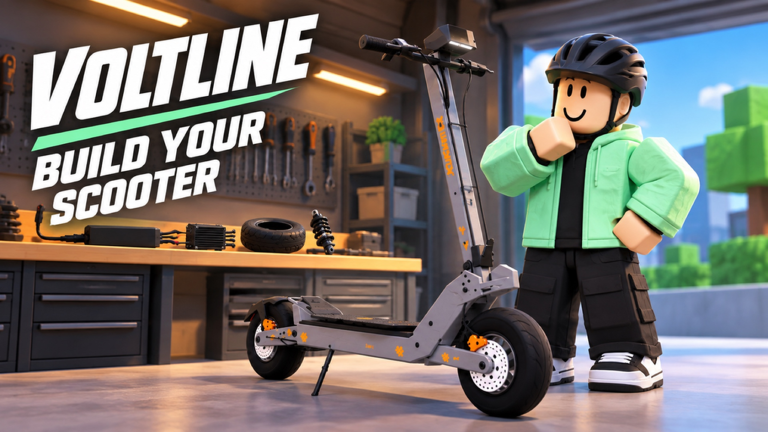
Promo codes are one of the first things players search when they join a new Roblox vehicle sim. Voltline: Electric Scooters [Early Testing] by DILLYDASHER is still in desktop early testing, so the codes picture is different from a long-running live title. This hub explains how redemption usually works in scooter games, what to expect while the place is unfinished, and where to look after each patch so you do not waste time on expired strings.
If you are brand new, pair this page with Getting Started, skim the Updates Hub for patch notes, and use the Scooter Tier List before you spend cash on the wrong frame.
Current codes status (early testing)
There are no confirmed active Voltline promo codes right now. That is not a stall tactic—it matches how early testing builds often ship. Creators focus on assembly loops, delivery jobs, battery drain, and part compatibility before they wire a stable codes UI and drop public gifts.
Treat every third-party “working codes” list with skepticism until you can redeem inside the live place yourself. Fake lists recycle strings from other e-scooter experiences. When a real Voltline code appears, we will list the reward, any level or account limits, and a last-checked note on this page.
Until then, the honest play is:
- Progress through deliveries and miles on your starter scooter.
- Check this hub and the Updates Hub after major patches.
- Watch the official Roblox game page description and creator posts for announcement-style gifts.
How players typically redeem codes
Exact button labels can move while Voltline is in early testing. Across Roblox scooter and vehicle sims, redemption usually follows one of these patterns. Use the list as a checklist when a codes panel finally appears—or if a soft update quietly enables one.
Settings / gear menu flow
- Launch Voltline: Electric Scooters from the Roblox game page on desktop.
- Look for a gear / settings icon (often top-right) or a Codes tab inside the main menu.
- Open the Codes or Redeem field.
- Paste the code exactly—caps, numbers, and no extra spaces.
- Confirm with Redeem / Submit and wait for a success toast or inventory ping.
Phone UI flow
Voltline leans hard on an in-game phone for deliveries, navigation, shopping, and garage access. Some sims put social or gift tools on that same device. If a Codes app or Rewards tile shows up on the phone, open it, enter the string, and redeem before you leave for a job so you can spend cash on batteries or brakes immediately.
Soft-fail checklist when a code fails
- Re-type instead of pasting if a trailing space snuck in.
- Confirm you are on the correct place (Early Testing desktop build).
- Leave and rejoin once after a patch—UI that was missing can appear mid-session only for new joins.
- Assume the code expired if it worked yesterday and fails today; codes are not permanent bank deposits.
Why codes expire (and why that matters here)
Roblox creators rotate codes to celebrate milestones, apologize for downtime, or boost retention after a balance change. Early testing makes expiry even sharper: a string tied to a buggy build may be retired the moment that build is replaced. Never plan your upgrade path around an unconfirmed gift.
Spend earned delivery money as if codes do not exist. Use gifts—when they arrive—as accelerators for batteries, motors, controllers, brakes, tires, or suspension, not as your only income plan. The Parts Tier List helps you prioritize those purchases for grinding versus speed runs.
What to do instead of waiting on codes
Early testing rewards players who learn the loop, not players who refresh code lists every ten minutes.
- Assemble cleanly. Unpack your starter AOVOPRO ES80, follow fitment rules, and learn how parts seat before you chase prestige frames. See Assemble Scooter when you are ready for a full walkthrough.
- Run deliveries with battery discipline. Charge between jobs, track miles, and avoid stranding mid-route.
- Upgrade with intent. Motor and battery choices change both delivery efficiency and top-end speed. Compare options on Upgrade Parts and the Parts Tier List.
- Plan the next unboxing. Mid and high frames—VSETT 9+, KuKirin G4, Dualtron X Limited—cost real session time. Rank them on the Scooter Tier List before you dump cash.
How we will update this hub
When a code is confirmed in-game:
- We add the exact string, reward text, and any restrictions.
- We note the patch or community post that introduced it.
- We move expired codes to a short archive section instead of deleting history overnight.
Bookmark this Codes Hub and cross-check the Updates Hub after every Early Testing push. For playstyle advice while you wait, read the Player Review Hub and keep the Getting Started checklist open on a second monitor.
Honest expectations for Early Testing gifts
Do not expect weekly mega codes while systems are still moving. Expect unfinished menus, temporary placeholders, and balance swings that can make yesterday’s reward feel oversized or useless. Report bugs with your scooter model named—see Updates for the reporting habit the creator asks for—and treat any sudden free cash as a bonus, not a guarantee.
This wiki stays honest: no confirmed active Voltline codes yet—check again after updates. When they land, redemption steps above should get you from toast to garage spend in under a minute.
Frequently Asked Questions
Quick answers for Voltline riders.
Are there any working Voltline Electric Scooters codes right now?
No confirmed active codes are listed for the Early Testing build. Recheck this hub and the Updates page after patches; ignore unverified lists copied from other scooter games.
How do I redeem a code when the UI appears?
Open Settings or the in-game phone, find the Codes or Redeem field, paste the string exactly, and confirm. Rejoin once after a patch if the panel is missing mid-session.
Why did my code fail?
Codes expire, mistype easily, and may be limited per account. Confirm you are in the Voltline Early Testing place on desktop and that the code was announced for this game—not another e-scooter experience.
Should I wait for codes before upgrading my scooter?
No. Earn through deliveries, charge between runs, and upgrade parts with a plan. Use the Getting Started guide and tier lists so gifts accelerate progress instead of defining it.
Where should I look when new codes drop?
This Codes Hub, the Updates Hub after patch notes, and official posts on the Roblox game page or from creator DILLYDASHER. Bookmark those sources instead of random social reposts.