Voltline Electric Scooters Voltline Guides Hub
Assembly, Vault Dash money, phone apps, controls, and upgrade paths for Early Testing.
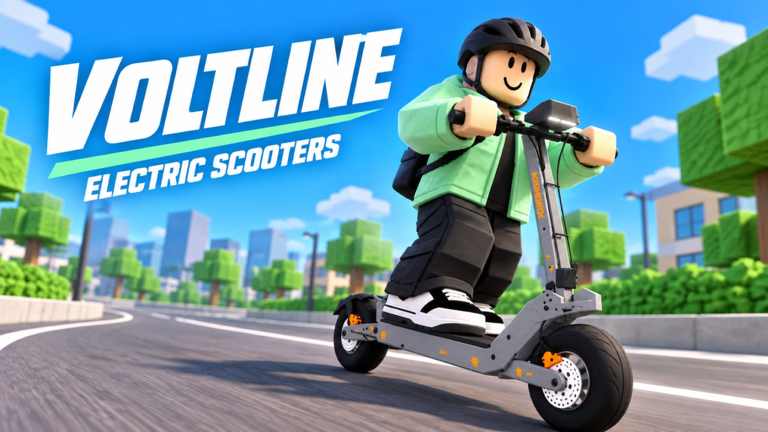
Welcome to the Guides Hub for Voltline: Electric Scooters on Roblox. This experience is in early testing by DILLYDASHER (created 2026-09-09). Sessions are desktop-focused, capped at six players, and still shifting as balance, maps, and UI change. Expect unfinished corners and the occasional bug—when you report one, note which scooter you were on and what you were doing.
The fantasy is simple and sticky: unpack a real-brand-style e-scooter, bolt it together, power off and charge it, then earn cash with Vault Dash food deliveries (strong offers can land near $450) while you hunt better decks, packs, and motors—some Market scooters list near $4,900. Press M for the phone control center: Vault Dash, Market, garage spawn, charging, map, and lock. Miles accumulate as you ride; battery and scooter condition are resources you manage every run.
Who these guides are for
- Brand-new riders who just spawned and need a calm first hour
- Players stuck between the starter AOVOPRO ES80 and mid-tier VSETT 9+ / KuKirin G4
- Delivery grinders optimizing routes and charge stops
- Tinkerers planning battery → motor → controller → brake → tire → suspension upgrades
- Desktop players refining throttle, braking, and safe wheelies
If you only read one page first, open Getting Started. It walks phone, garage, ES80 assembly, first charge, and first delivery without assuming prior knowledge.
Guide map
First session and onboarding
Getting Started covers spawn priorities, opening the phone, finding the garage, unpacking the ES80, and completing a clean first delivery. Use it before you spend on parts you do not understand yet. Pair it with Codes if active promo rewards appear during testing, and skim Updates so you are not following outdated UI labels.
Assembly and unboxing
Assemble Your Scooter is the step-by-step for the AOVOPRO ES80, then the later VSETT 9+ and KuKirin G4 unbox/assembly loops. Community clips also show a Dualtron X Limited, and a Joyor T10 has been teased—treat those as aspirational until they are stable in your build. Do not rush past assembly: incomplete builds waste delivery time and make early testing bugs harder to isolate.
Deliveries, money, and phone apps
Food Deliveries explains the Vault Dash workflow, accepting jobs, reading navigation, stacking sensible routes, and power-off charging. Make Money Fast focuses on paycheck habits, ~$450 offers, and saving toward Market scooters. Phone Apps maps every M-menu system: Vault Dash, Market, garage spawn, charge/power, ride tuning, map, and lock. Battery mismanagement is the most common early wipe: dead scooters do not complete orders.
Controls and riding feel
Desktop Controls lists E / P / C / M keys, Eco / Sport / Race modes (~30 MPH Race on starter decks in community notes), night headlights, police-speed caution, camera habits, and safer wheelies. Because this is a Simulation / Vehicle Sim with roughly 2.4M visits and recent peaks near 11k concurrent, servers can feel busy—give yourself space on hills and intersections.
Parts and upgrade order
Upgrade Parts ranks batteries, motors, controllers, brakes, tires, and suspension: what to buy first, what must stay compatible, how condition/maintenance protects streaks, and how to avoid overspending before range. Cross-check ambitions against the Scooter Tier List and the broader Tier List Hub once you know your delivery style.
How to use this wiki with the game
- Finish Getting Started and one successful Vault Dash delivery.
- Bookmark Assemble Your Scooter for the next chassis you unlock.
- Run Make Money Fast and Food Deliveries until cash flow feels stable; learn Phone Apps for charge and Market.
- Layer Upgrade Parts only after you can charge and complete routes consistently.
- Polish feel with Desktop Controls (modes and police-safe pacing).
- Compare platforms on Scooter Tier List, check Players for community notes, and peek at Scripts only if you understand Roblox account risk.
Early testing mindset
Voltline advertises EARLY TESTING · DESKTOP. Features move. Prices, spawn layouts, and phone menus can change between sessions. Prefer habits that survive patches: always charge before a long route, assemble fully before riding, and keep one “safe” scooter ready while you experiment. Favorites sit around 12k—the community is growing fast, so unfinished areas and balance swings are normal, not a personal skill issue.
Related hubs
- Codes — redeem promos when they are live
- Tier List and Scooters — rank platforms for delivery vs flex
- Scripts — optional tooling notes with safety caution
- Updates — patch and testing changelog style notes
- Players — community and concurrent context
- Wiki — overview of the experience and facts
Use this hub as your index. Dive into the child guides in order if you are new; jump straight to deliveries or upgrades if you already cleared the ES80 loop.
Frequently Asked Questions
Quick answers for Voltline riders.
What should I read first on this Guides Hub?
Start with Getting Started for phone, garage, ES80 assembly, and your first delivery. Then open Assemble Your Scooter and Food Deliveries before heavy part shopping.
Is Voltline finished or still early testing?
It is early desktop testing by DILLYDASHER. Expect bugs, balance changes, and unfinished areas. Report issues with scooter model and reproduction steps.
Which scooters do the guides cover?
Core path: AOVOPRO ES80 starter, then VSETT 9+ and KuKirin G4 with their own unbox/assembly. Dualtron X Limited appears in community clips; Joyor T10 is teased.
Do I need Scripts or Codes to progress?
No. Deliveries, charging, and parts upgrades are the intended loop. Codes help when active; scripts are optional and carry account risk—see the Scripts hub.